Building custom classification models with Frigate 17 (beta 2)

I have been experimenting with an awesome new feature in the upcoming Frigate 0.17 release. For those who don't know, Frigate is a powerful, self-hosted open-source NVR focused on computer vision and object detection, using both stock and custom-trained models. I've written about it before when it comes to storage optimization, camera integration and various notifications.
Enter: Custom Classifiers
Before Frigate 0.17, detecting objects meant relying on a pre-defined set of available classes like cars or people, sometimes with sub-labels (e.g., identifying a car specifically as “Amazon” or “UPS”). While Frigate also offered face detection, the system was largely limited to these built-in definitions.
With Frigate 0.17, you can now train your own classification models locally on your machine. These work in two primary ways:
- Object Classification: Adding sub-labels to an existing object (e.g., further classifying a “waste_bin” as “recycling” or “trash”).
- State Classification: This is my favorite. It allows you to define a number of states for a given region—like whether a gate is “open” or “closed”.
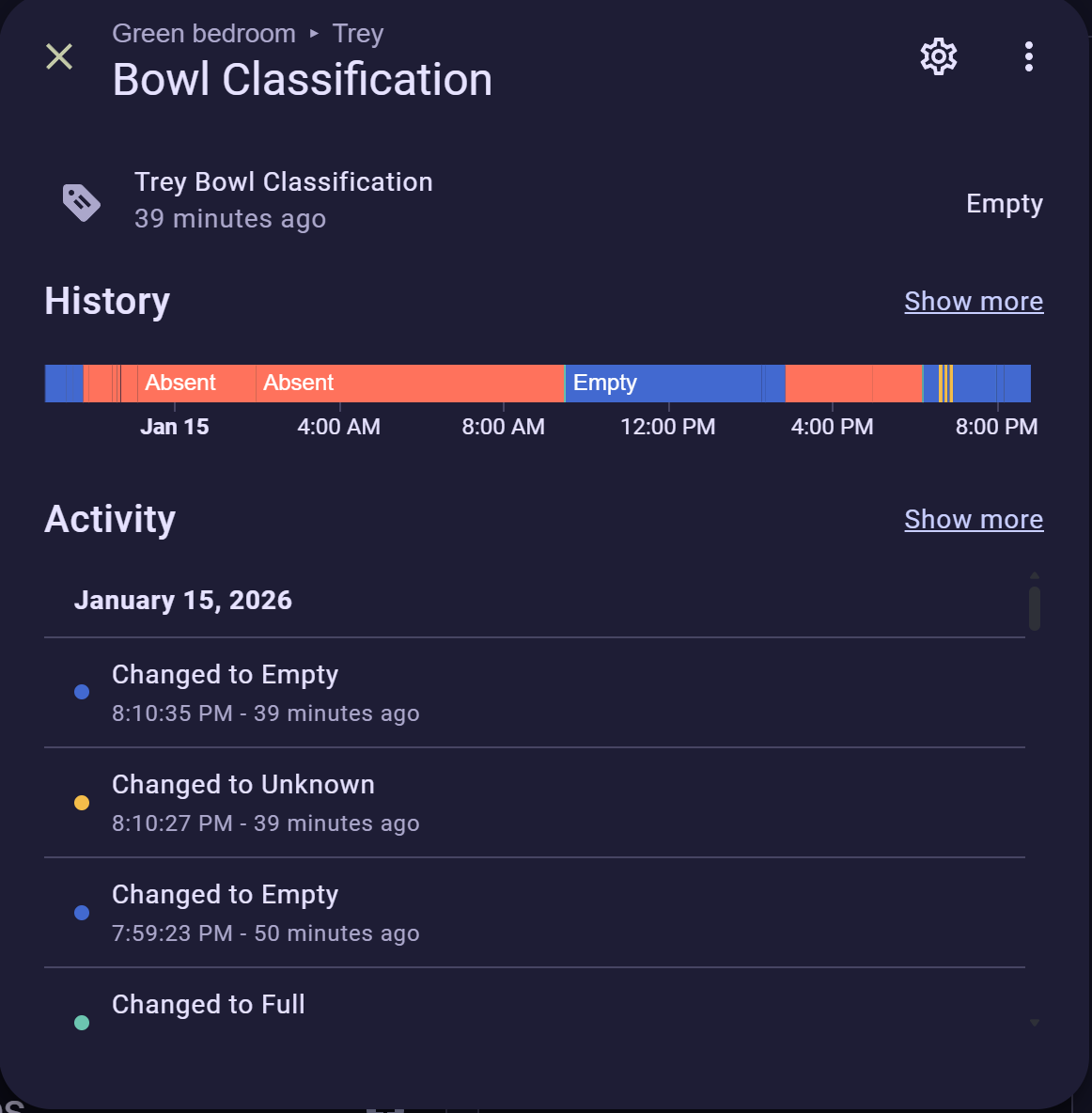
The best part? The model doesn't actually need to know what a “gate” is. You simply train it on a representative set of images showing the area in its different states. Once trained, Frigate creates sensors in Home Assistant for each classification, opening up incredible automation possibilities.
Real-World Use Case: The “Trey Bowl” Monitor
I used this new feature to solve a practical problem: determining the state of my dog Trey’s food bowl. This helps us ensure he’s fed on time, prevents him from being accidentally fed twice, and alerts us when he, on occasion decides to skip a meal, so we can refrigerate it.
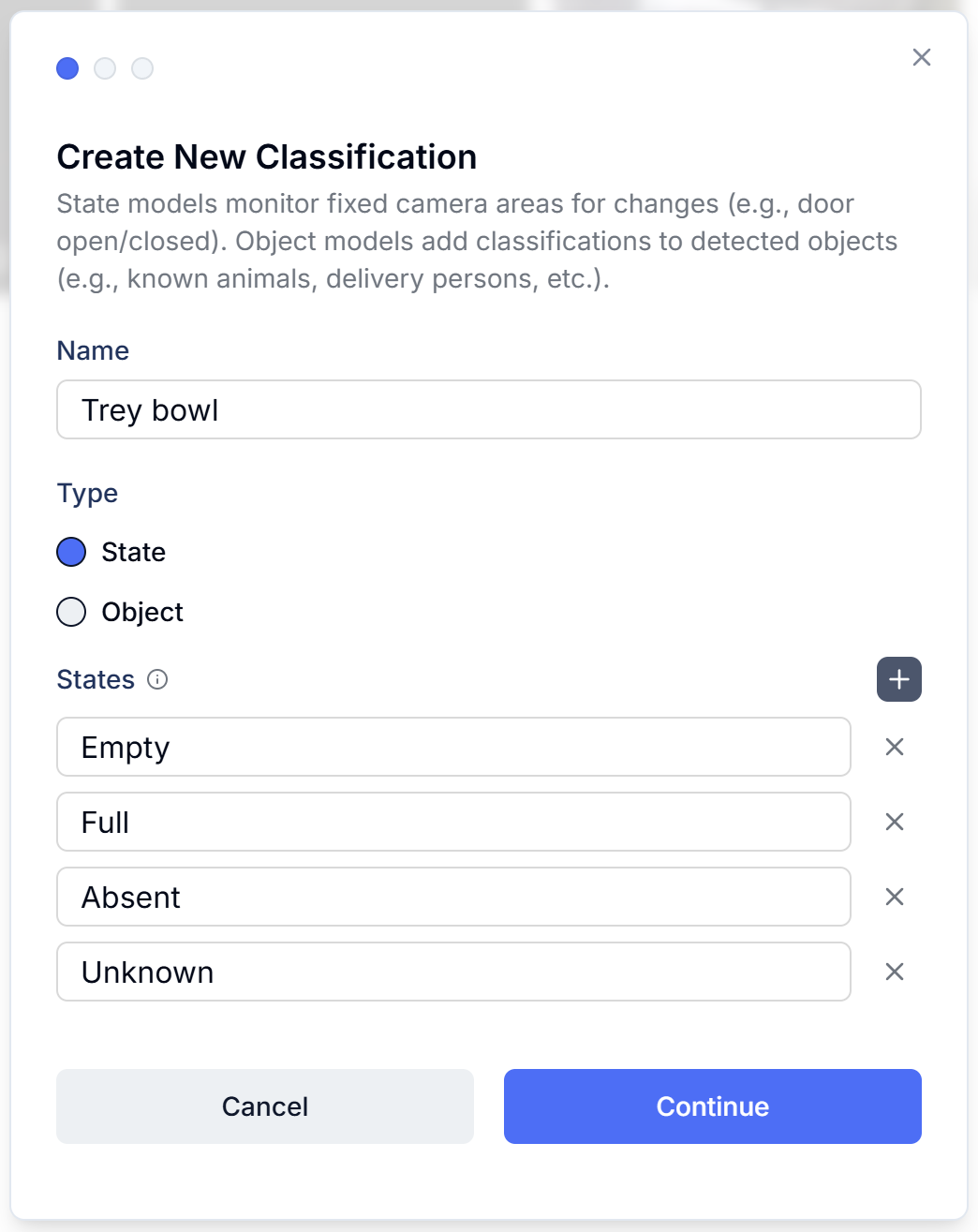
I defined four distinct states for Trey's bowl:
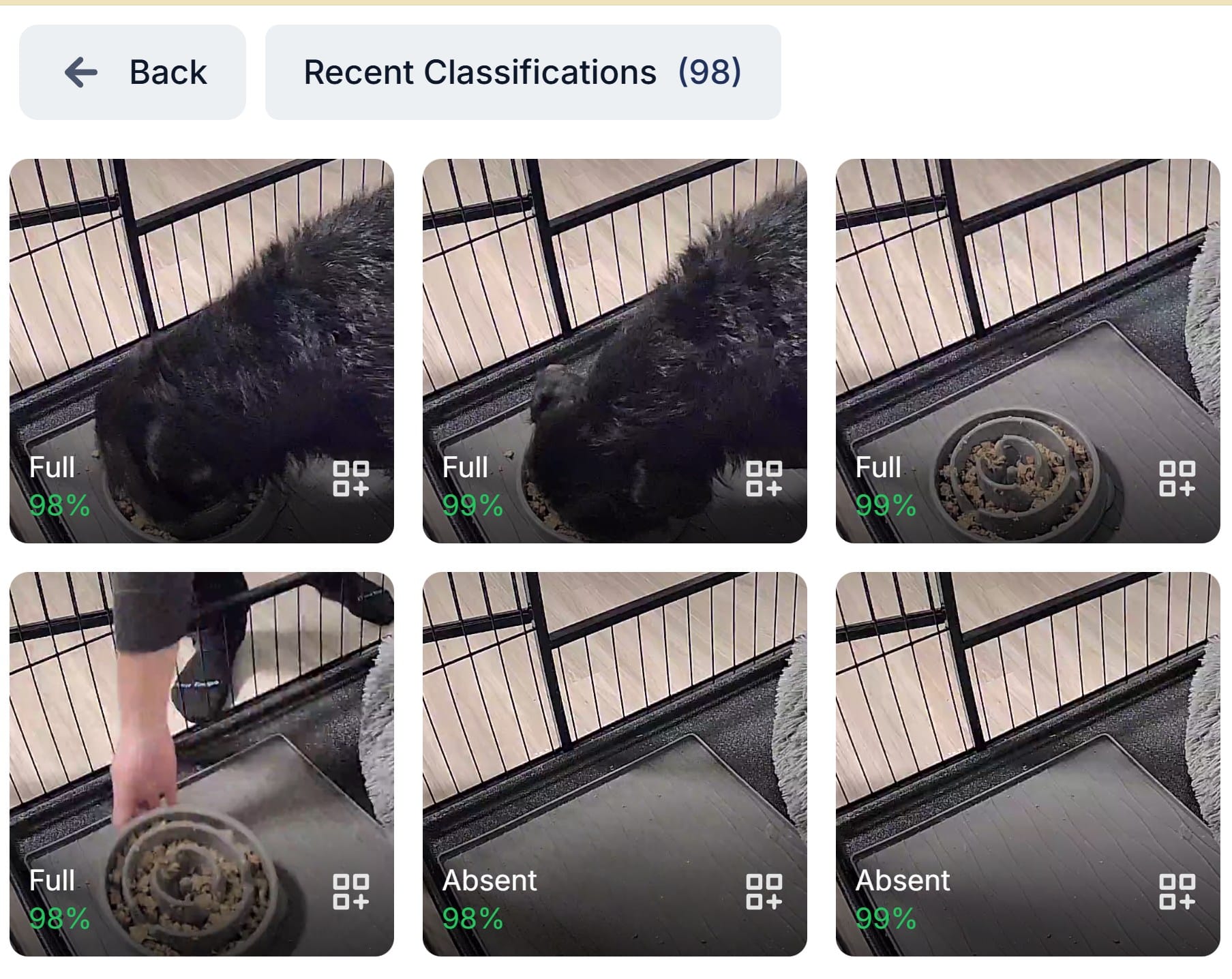
- Full: There is food in the bowl, or Trey is actively eating.
- Empty: The bowl is present, but is without any food.
- Absent: The bowl is not in his crate.
- Unknown: The image is obscured, too dark, or too light, or otherwise hard to tell.
Tip: Always include an "unknown" class. Real-world conditions aren't always perfect, and it’s better for the model to admit it's unsure than to make a false prediction.
How to Set It Up
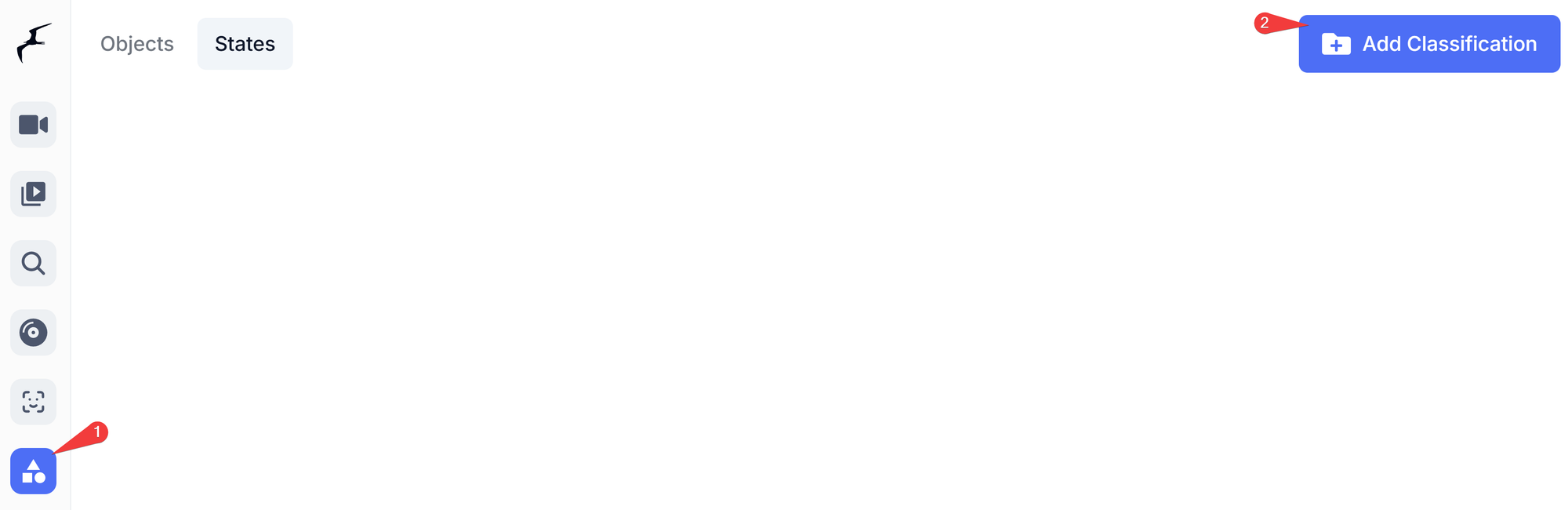
1. Add the Classification
In the Frigate UI, navigate to the new Classifications menu item on the left and click Add classification. Give your model a name, choose the type, and enumerate your states.
2. Define the Region of Interest
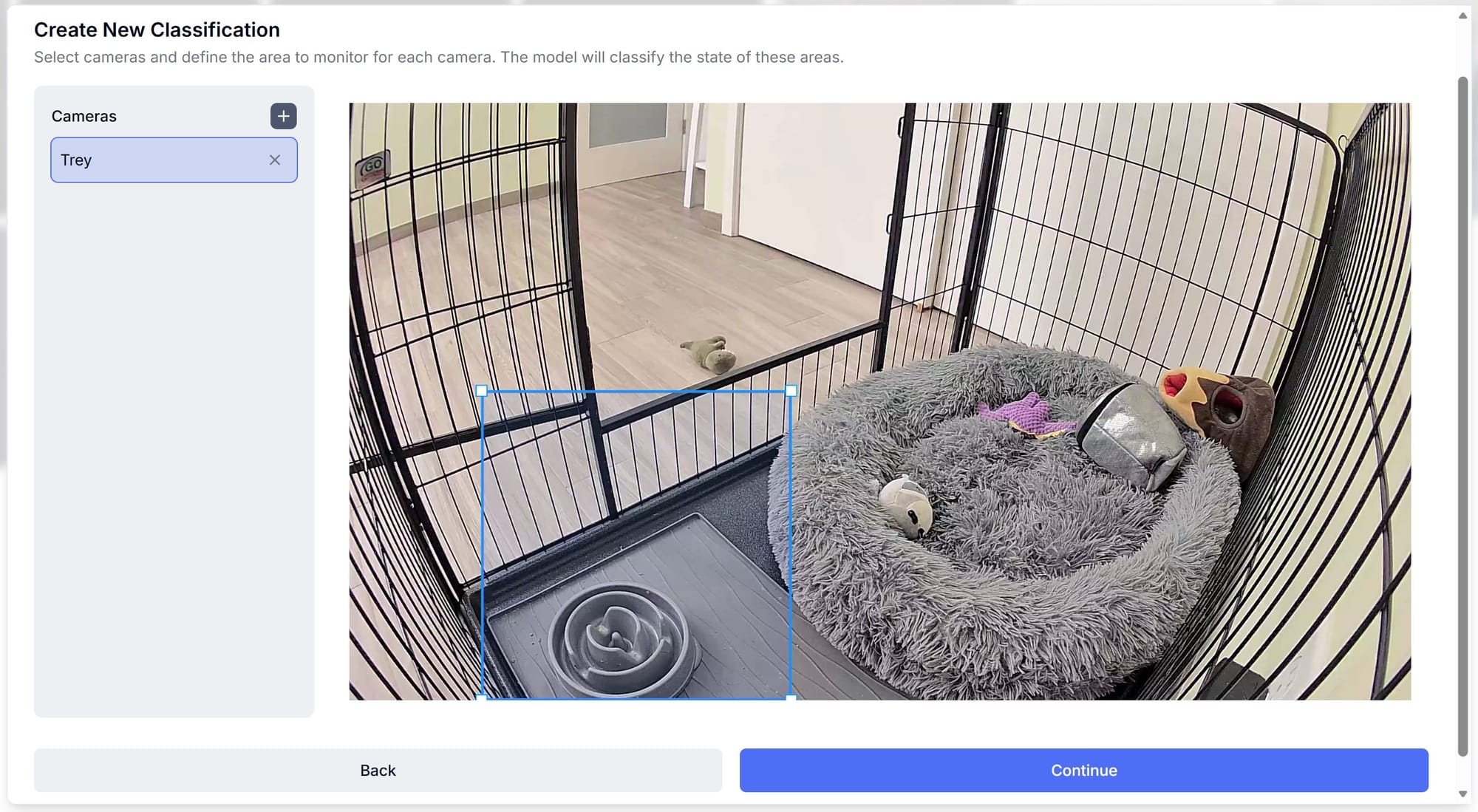
Pick the camera and draw a region of interest (ROI). You want this large enough to capture where the bowl might move, but focused enough to avoid distracting the model with irrelevant background changes.
3. Labeling and Initial Training
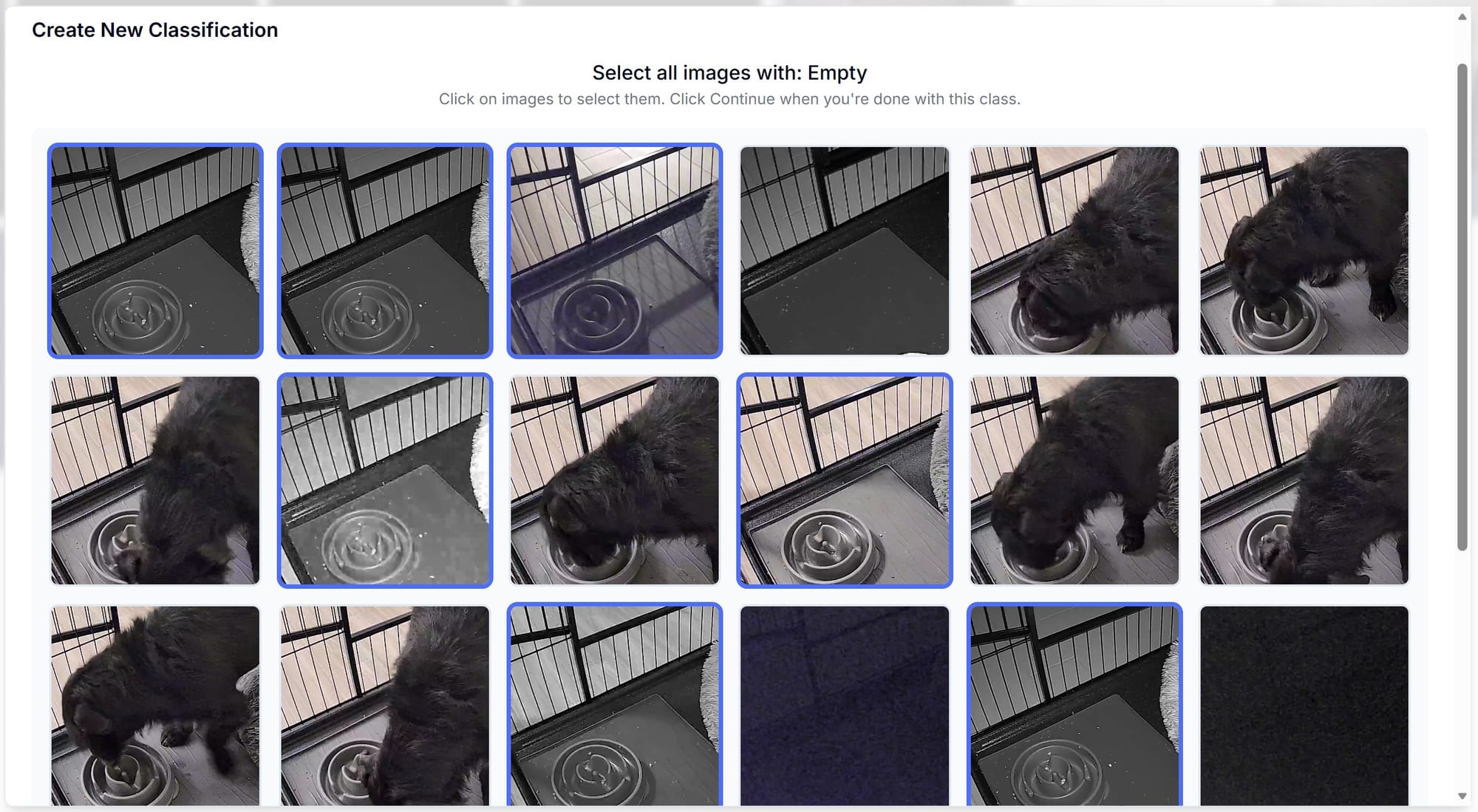
Frigate will subsample existing recordings. You then go through and label these images. For example, I marked images where Trey was still eating as “Full.” Consistency is key here—decide on your “line” for each state and stick to it. Don't worry if a certain state has no images. You'll be able to add them later. Once you have a starting set, press Train.
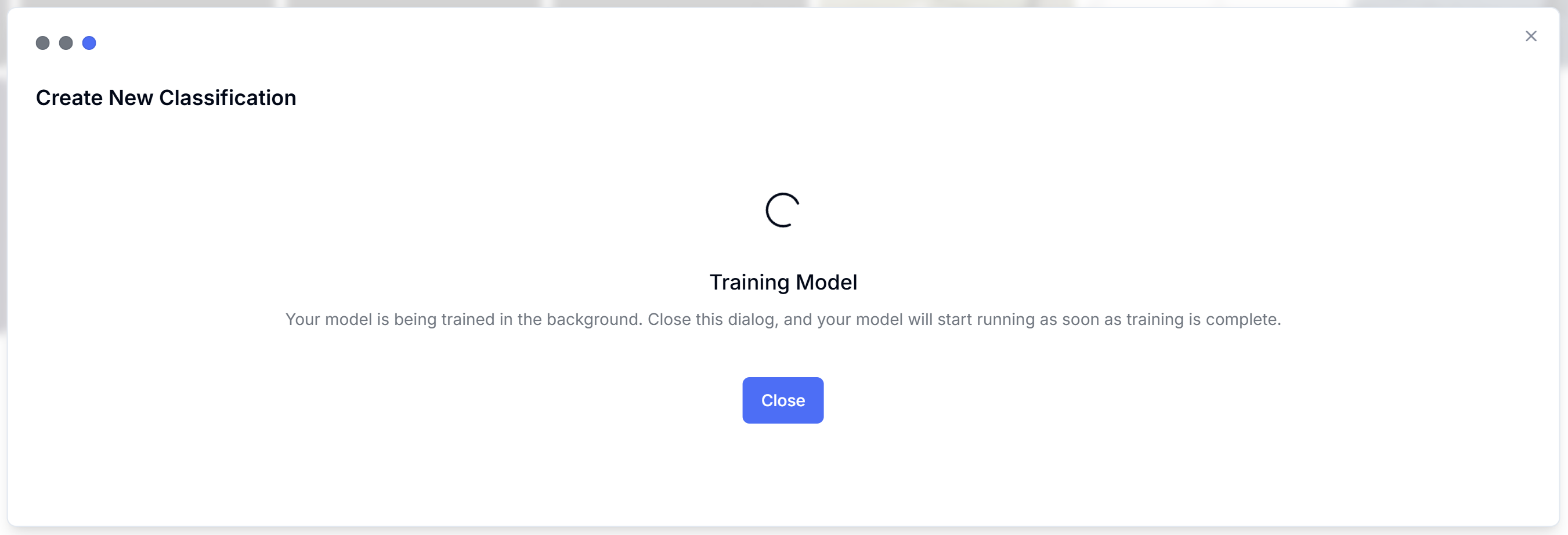
4. Iterative Improvement
In my experience, the original model has been better than expected, but it does make mistakes.
A few tips on building out a good training set for your classification model:
- Diversity over Quantity: Adding a dozen of near-identical images to a relatively small set won't help. In fact, it can cause “overfitting,” where the model fails to generalize to new conditions.
- Seek Variation: Continue to add images with different lighting (time of day), shadows, and other expected variations.
- Be consistent: Determine a strict definition for each class and stick to it. For instance, having classes that have overlap will cause the model to be less accurate.
Training is surprisingly fast; on my setup, it takes about a minute or less to update the model with new images. This means you can often retrain in the beginning.
Results and Home Assistant integration
After just a few days of adding diverse images, the model is now doing an excellent job detecting Trey's bowl states. In Home Assistant, I now have a clean sensor that I can use for notifications and tracking.
The Frigate 0.17 classification feature is a game-changer. Even though I'm running Beta 2, it has been remarkably stable. If you’re a home lab enthusiast using Frigate, this is a feature you’ll definitely want to explore once the final release drops, or earlier if you don't mind running into some potential bugs.